Installation
This section describe how to install and configure 6WIND HNA to implement the EVPN BGP scenario.
Prerequisites
The scenario described in this document relies on the following platform:
two Virtual Service Router taking the role of leaf routers in the network fabric, tested version is 3.12.0.ga, running in a VM.
two Kubernetes nodes able to run Virtual Service Router: in this document, they run Kubernetes version 1.33 on Ubuntu 24.04 in a VM.
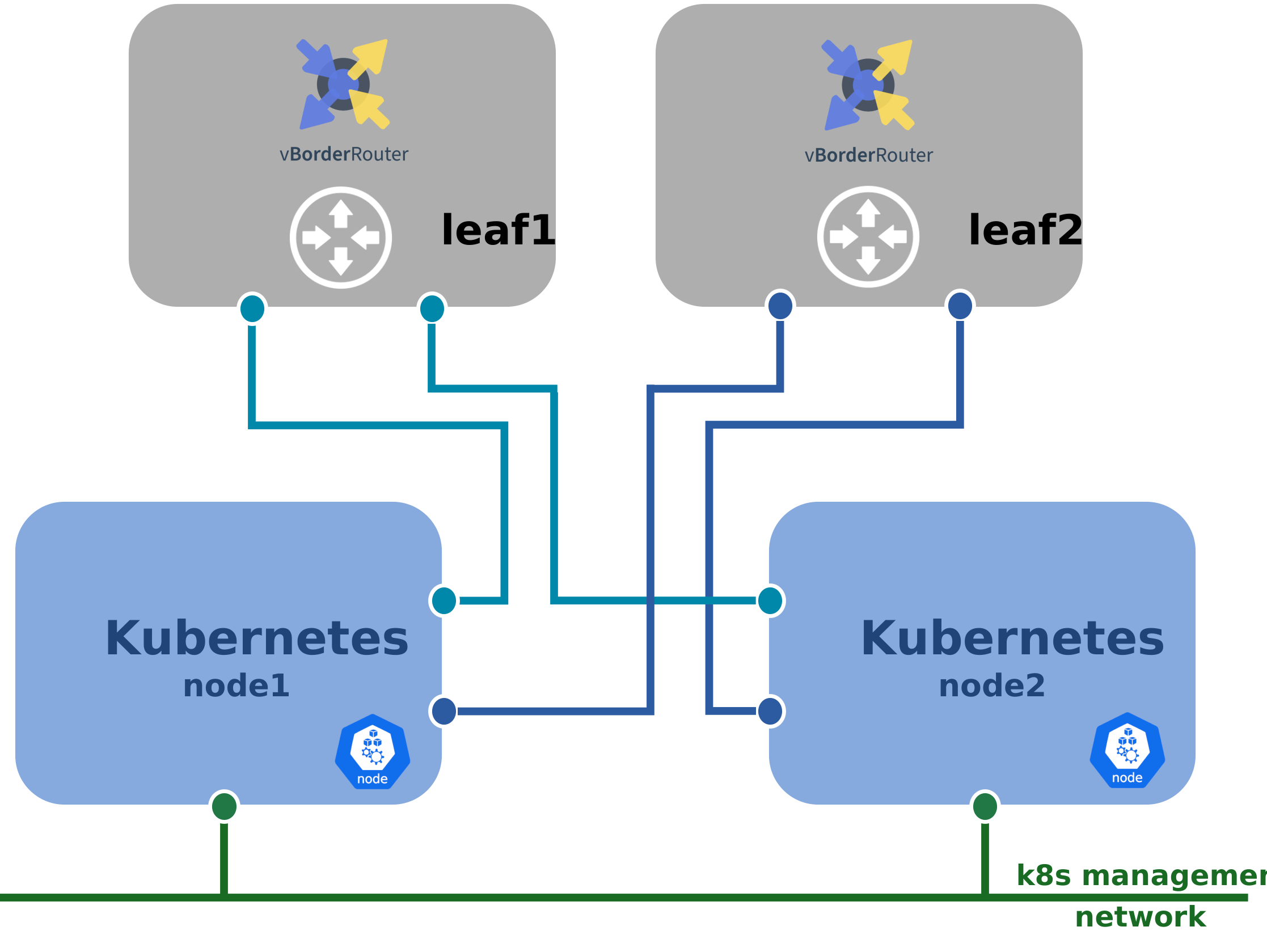
Overview of the HNA EVPN Network Platform.
The Kubernetes nodes are connected to a management network, and to the two leaf routers for dataplane traffic.
The following Kubernetes plugins are installed on all nodes of the Kubernetes cluster:
Flannel as primary CNI.
Tested version is 0.27.2.
Multus, to support a secondary CNI.
Tested version is 4.2.2.
Host Device from containernetworking-plugins, to pass emulated NICs to pods inside the VM.
Tested version is 1.7.1.
sriov-cni, to configure SR-IOV VF networks in container.
Tested version is 2.9.0.
sriov-network-device-plugin, to advertise and use SR-IOV VF devices in container.
Tested version is 3.9.0.
See also
Refer to the Installation for the container of the Virtual Service Router Getting Started Guide for details about Kubernetes installation.
In the cluster described in this document, node1 also has the role of
control plane node.
HNA nc-k8s-plugin installation
The nc-k8s-plugin relies on three components:
hna-cni: a CNI binary, started by the container runtime at Pod start. It is in charge of creating the interfaces inside the Pod, and the custom resources used to notify the operator.hna-operator: a Kubernetes operator, packaged as a docker image and running as a DaemonSet (i.e. on all nodes of the cluster). The operator monitors Kubernetes resources (Pod, ConfigMap, …) and configures the HNA that runs as a Pod.hna-device-plugin: another Kubernetes operator, packaged as a docker image and running as a DaemonSet. This operator is a Device Plugin that works in collaboration with Kubelet to manage virtio devices as Kubernetes resources for CNF and HNA pods.
See also
For detailed instructions, please refer to the nc-k8s-plugin documentation.
Apply the
NetworkAttachmentcustom resources for Multus:
root@node1:~# kubectl apply -f https://USER:PASSWORD@download.6wind.com/products/nc-k8s-plugin/hna/3.12/3.12.0.ga/src/manifest/multus-network-attachments.yaml
Deploy the operators with the following command:
root@node1:~# kubectl apply -f https://USER:PASSWORD@download.6wind.com/products/nc-k8s-plugin/hna/3.12/3.12.0.ga/src/manifest/hna-operator.yaml
Once applied, HNA operators should run on each node of the cluster:
root@node1:~# kubectl get pod -n hna-operator
NAME                      READY   STATUS    RESTARTS   AGE     IP             NODE       NOMINATED NODE   READINESS GATES
hna-device-plugin-8t8rw   1/1     Running   0          2m15s   10.182.35.15   node1      <none>           <none>
hna-device-plugin-bn9s4   1/1     Running   0          2m15s   10.182.34.15   node2      <none>           <none>
hna-operator-llfxx        1/1     Running   0          2m15s   10.182.34.15   node2      <none>           <none>
hna-operator-cwjp8        1/1     Running   0          2m15s   10.182.35.15   node1      <none>           <none>